
Grab Free Games with Random Game Boxes
Play. Earn Gold. Open a Random Game Box. Walk away with a Steam key for a brand-new game.
What is a Random Game Box?
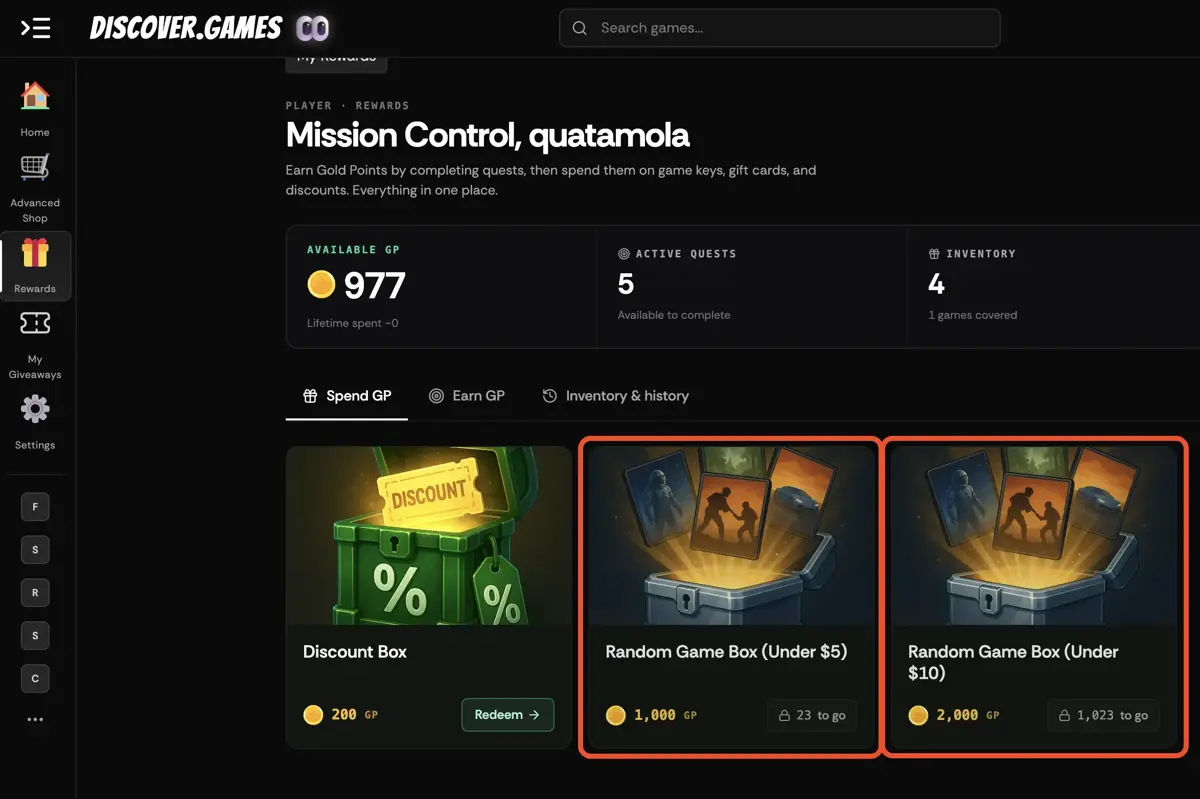
A Random Game Box is a reward you unlock under My Rewards → Spend GP using Gold — our on-site currency. Open one to reveal a Steam key for a random game. Two tiers are available: 1,000 GP for a game priced under $5, or 2,000 GP for a game priced under $10.
Random Game Boxes aren't for sale — you earn them by playing.
How to Earn Gold
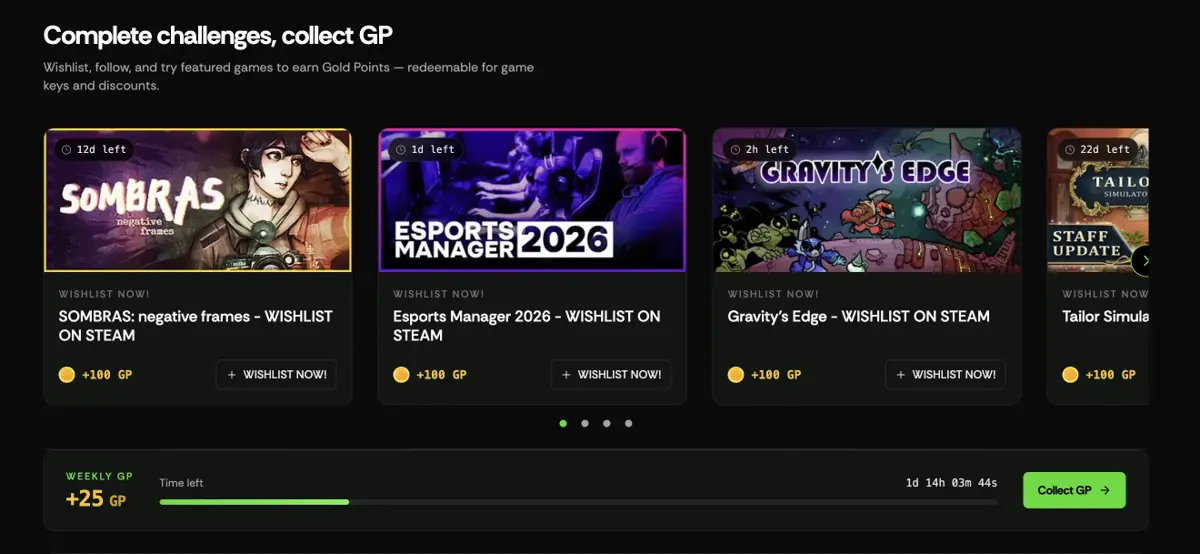
Complete challenges across Discover.Games to stack up Gold. The more you play, the more you can spend.
- Wishlist games on SteamLink your Steam account once, then wishlist the eligible games on Discover.Games. Our system detects it automatically and credits your Gold — no forms, no waiting.
- Invite your friendsBring your friends to Discover.Games. When they sign up and start playing, both of you earn Gold.
- Buy any gameEvery game on Discover.Games ships with a Gold reward. Buy, play, stack — no exceptions.
And more ways to earn Gold are on the way. Stay tuned.
How to Open a Random Game Box
Once your Gold is stacked, unboxing a free game takes about a minute. Here's the flow:
- 1Sign up or log inNew to Discover.Games? Sign-up is free and takes less than a minute. Already have an account? Just log in and skip ahead.
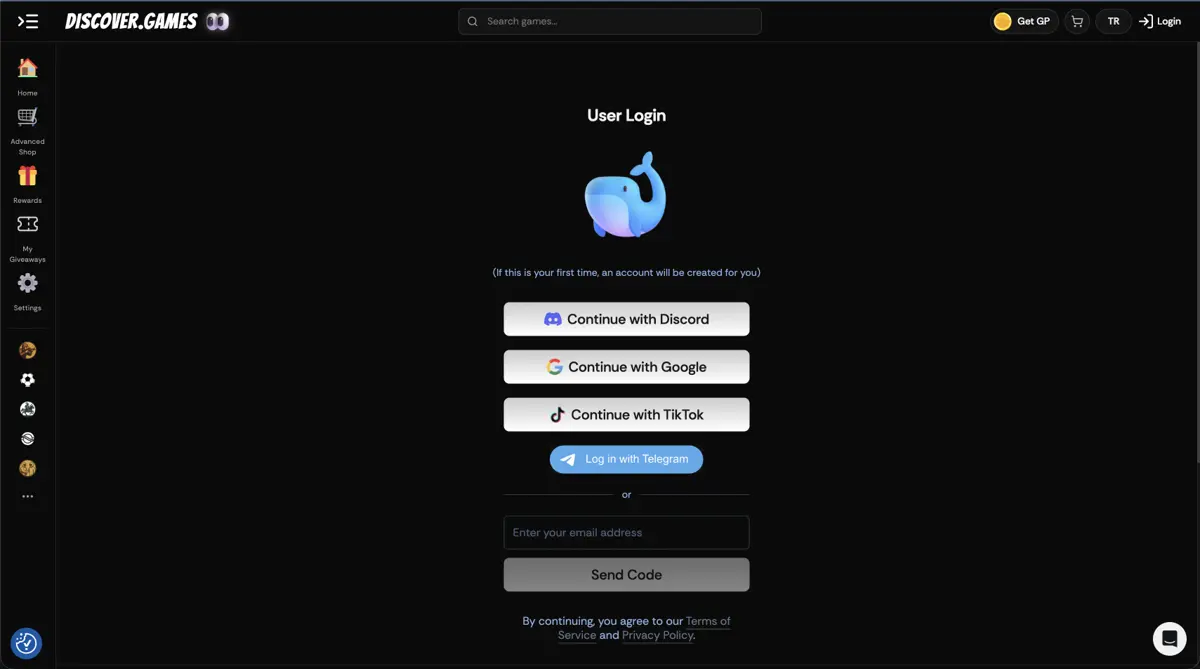
- 2Complete challengesYou'll find the Challenges section right on the homepage. Every wishlist quest, invite, and purchase you complete there stacks Gold toward your next Random Game Box.
- 3Head to My RewardsWhen your Gold balance is ready, open My Rewards and switch to the Spend GP tab. You'll see two Random Game Box tiers sitting next to the Discount Box — one for games under $5, one for games under $10.
- 4Pick your box and Redeem NowTap the Random Game Box you want, check the price and the possible rewards preview, then hit Redeem Now. The box lands straight in your inventory.
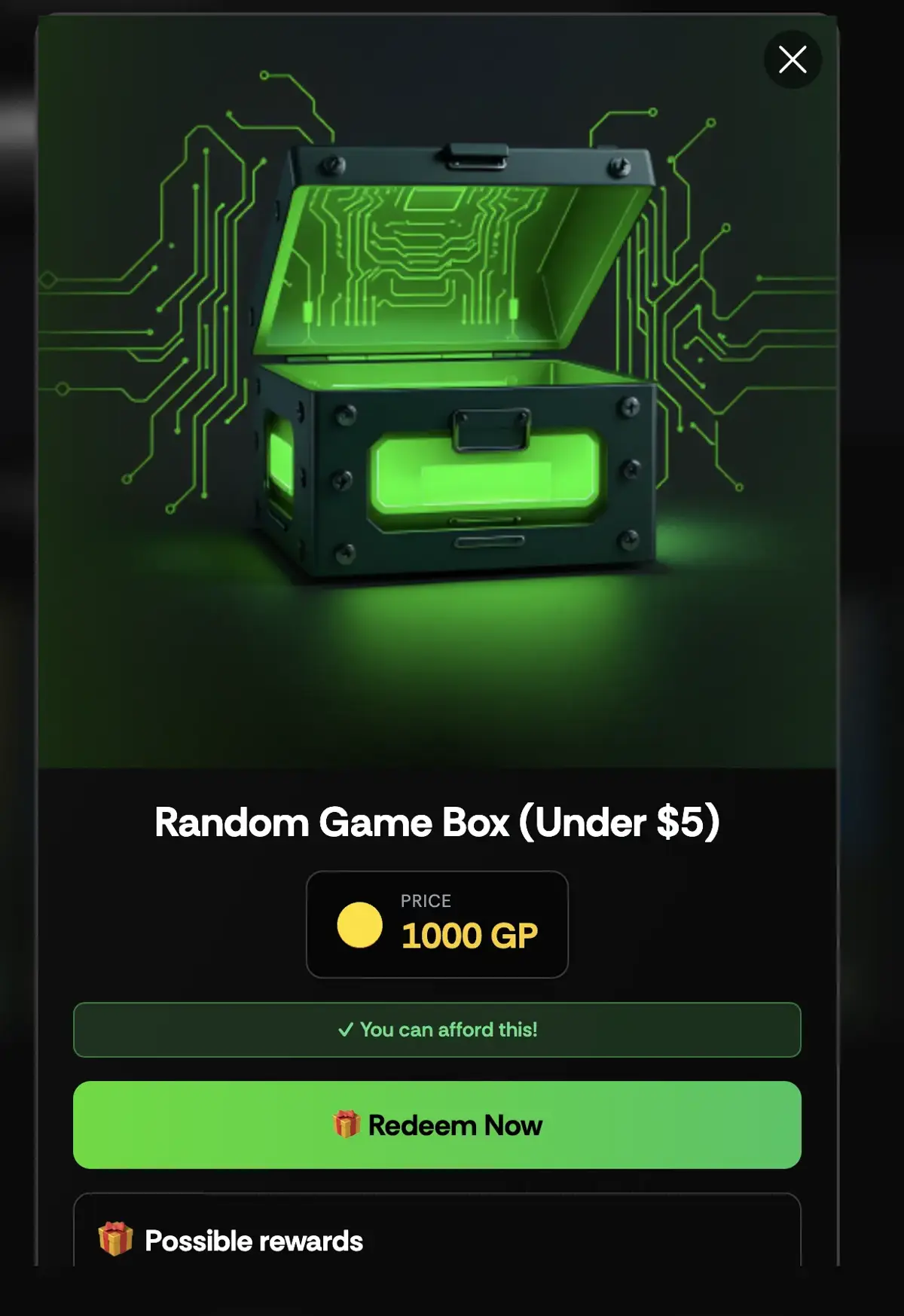
- 5Open it, reveal, and grab your keySwitch to the Inventory & history tab, tap your Random Game Box, and open it. The box cracks open, your new game is revealed, and a Steam key drops out for you to copy.You can always find your key later under the Inventory & history tab.
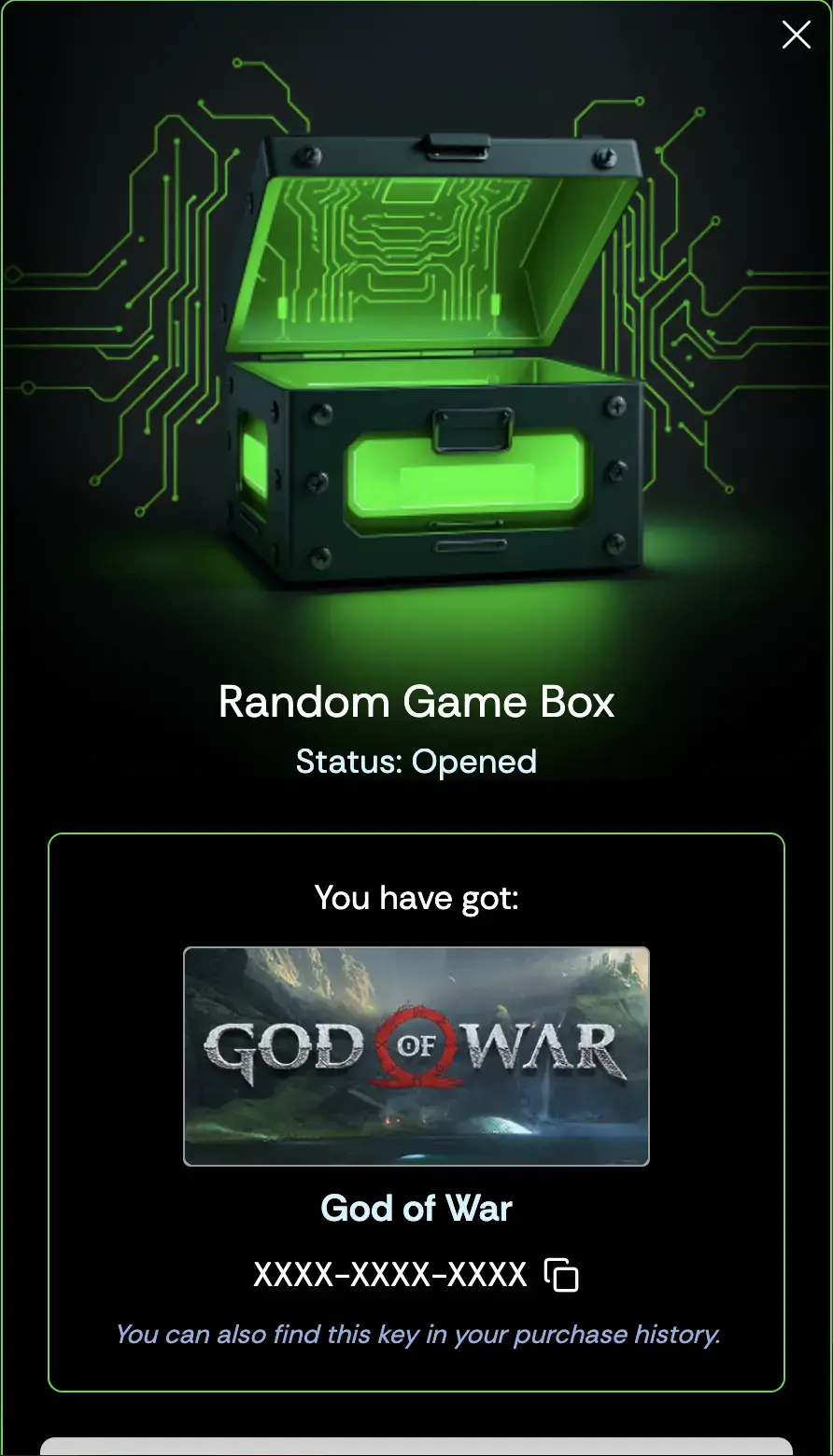
- 6Head to Steam, activate, and enjoyCopy your key, open Steam, and activate it from the Games menu. Your new game is added to your library permanently — enjoy!
Limited-Time Drops
The Random Game Box lineup rotates around seasonal sales, new game launches, and MENA & Türkiye events — check back often so you don't miss a good one.
We announce drops early on our Discord. Join here:
discord.gg/8pSp26Pu9jReady to play something new?
The more you engage, the faster you'll stack Gold. Jump into a challenge, open a box, and grab your next free game.
Head to My Rewards